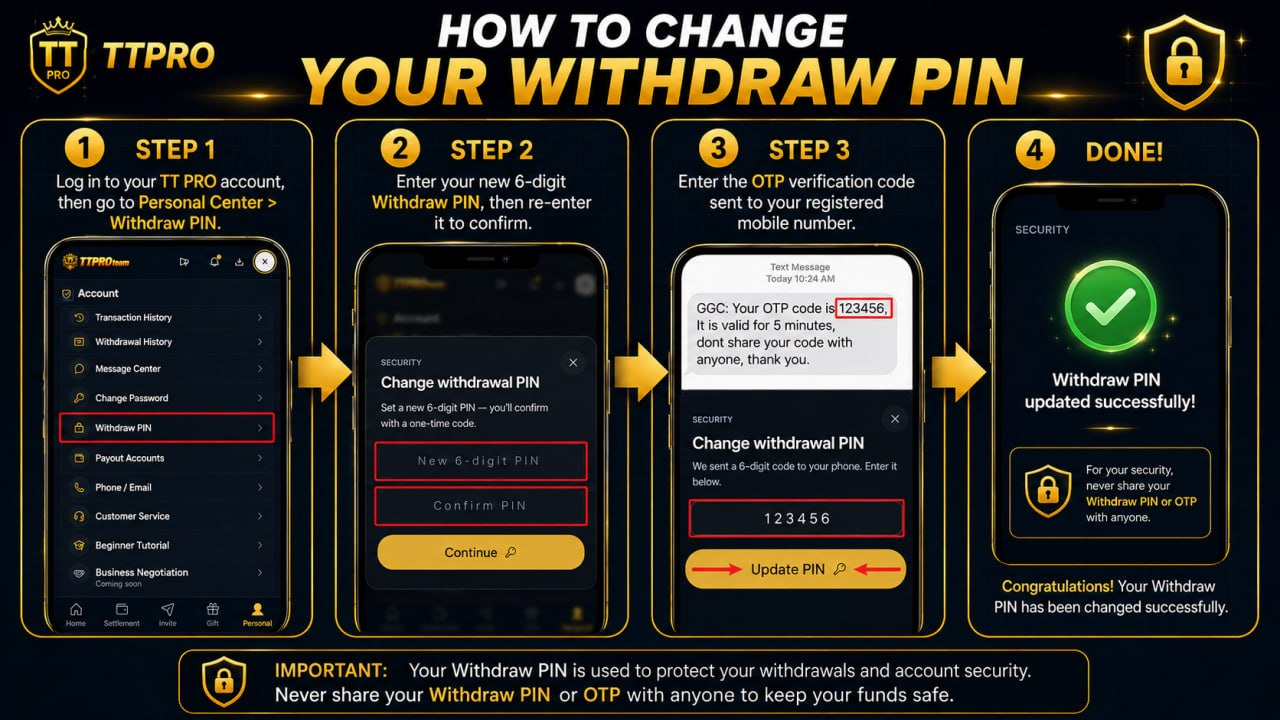
How to Change Your Withdraw PIN
Step 1: Log in to your TT PRO account, then go to User Center > Withdraw PIN.
Step 2: Enter your new 6-digit Withdraw PIN, then re-enter it to confirm.
Step 3: Enter the OTP verification code sent to your registered mobile number.
🎉 Congratulations! Your Withdraw PIN has been changed successfully.
🔒 Important: Your Withdraw PIN is used to protect your withdrawals and account security. Never share your Withdraw PIN or OTP with anyone to keep your funds safe.