
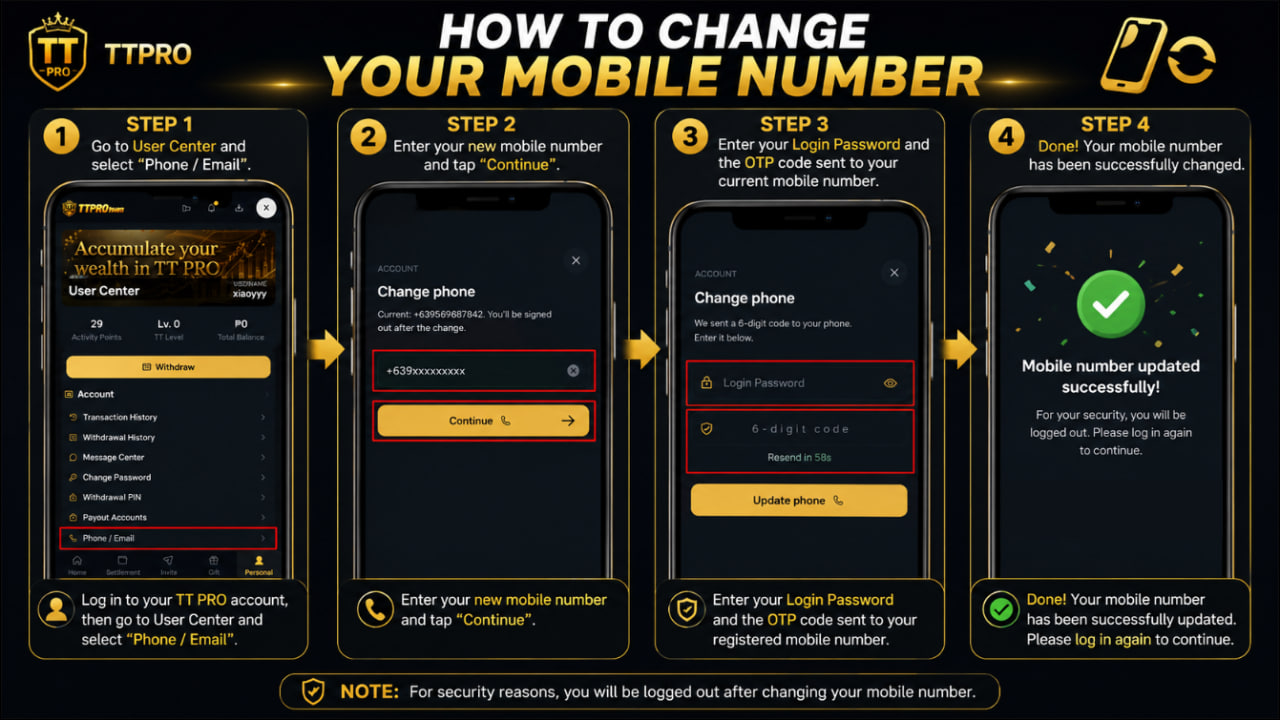
How to change your mobile number
STEP 1:
Go to User Center > Phone / Email.
STEP 2 :
Enter your new mobile number and tap Continue.
STEP 3:
Enter your Login Password and the OTP sent to your original mobile number.
🎉 Congratulations! Your Mobile Number has been successfully change.