
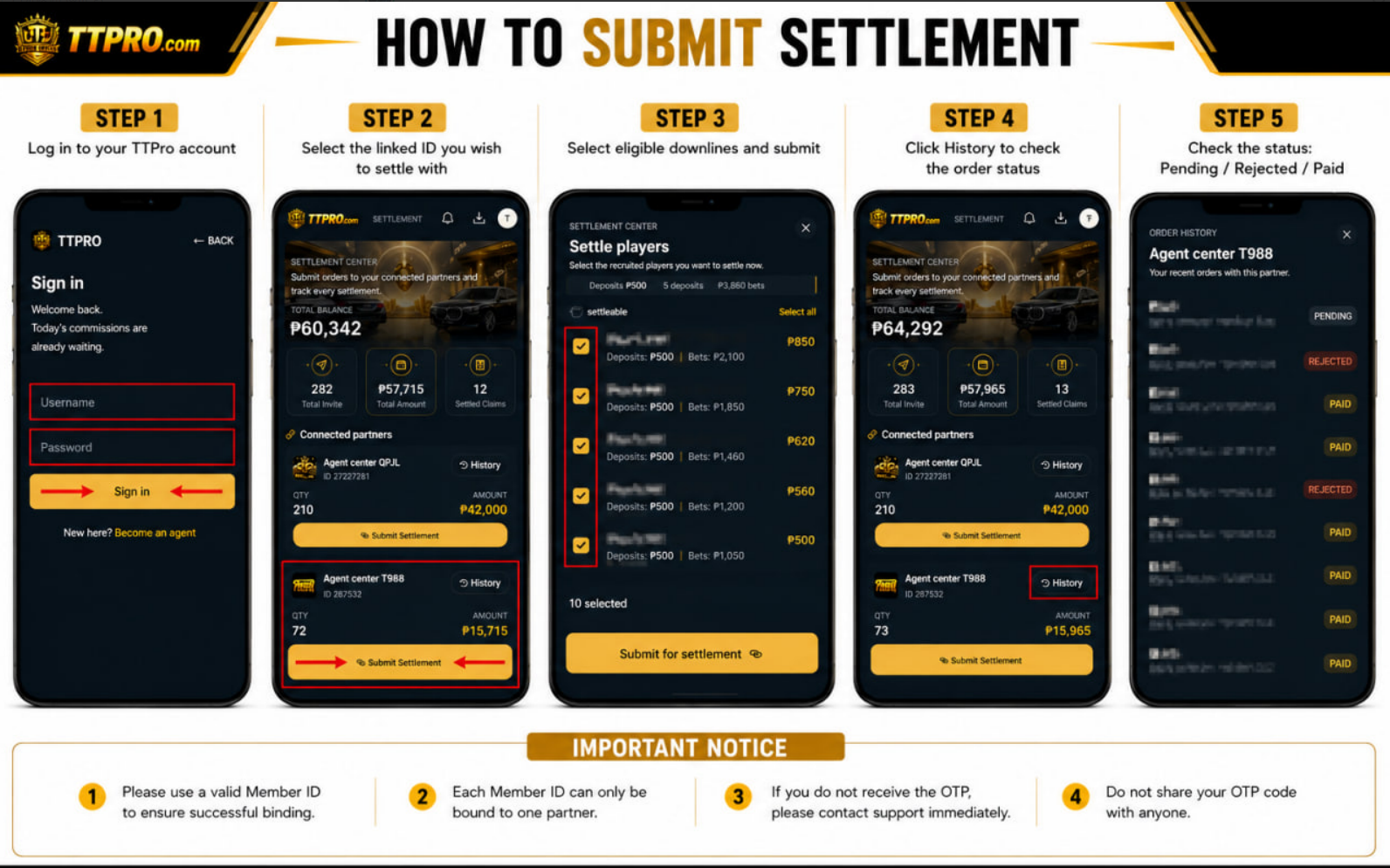
Step 1: Log in to your TTPro account
Step 2: Select the linked ID you wish to settle with
Step 3: Select your eligible downlines and submit for settlement
Step 4: After submission, click on History to check the order status
Step 5: If the order shows "Pending," it is under review
If it shows "Rejected," the request has been cancelled ❌️
If it shows "Paid," payment has been completed, and your points have been added to your TTPro account✅️