
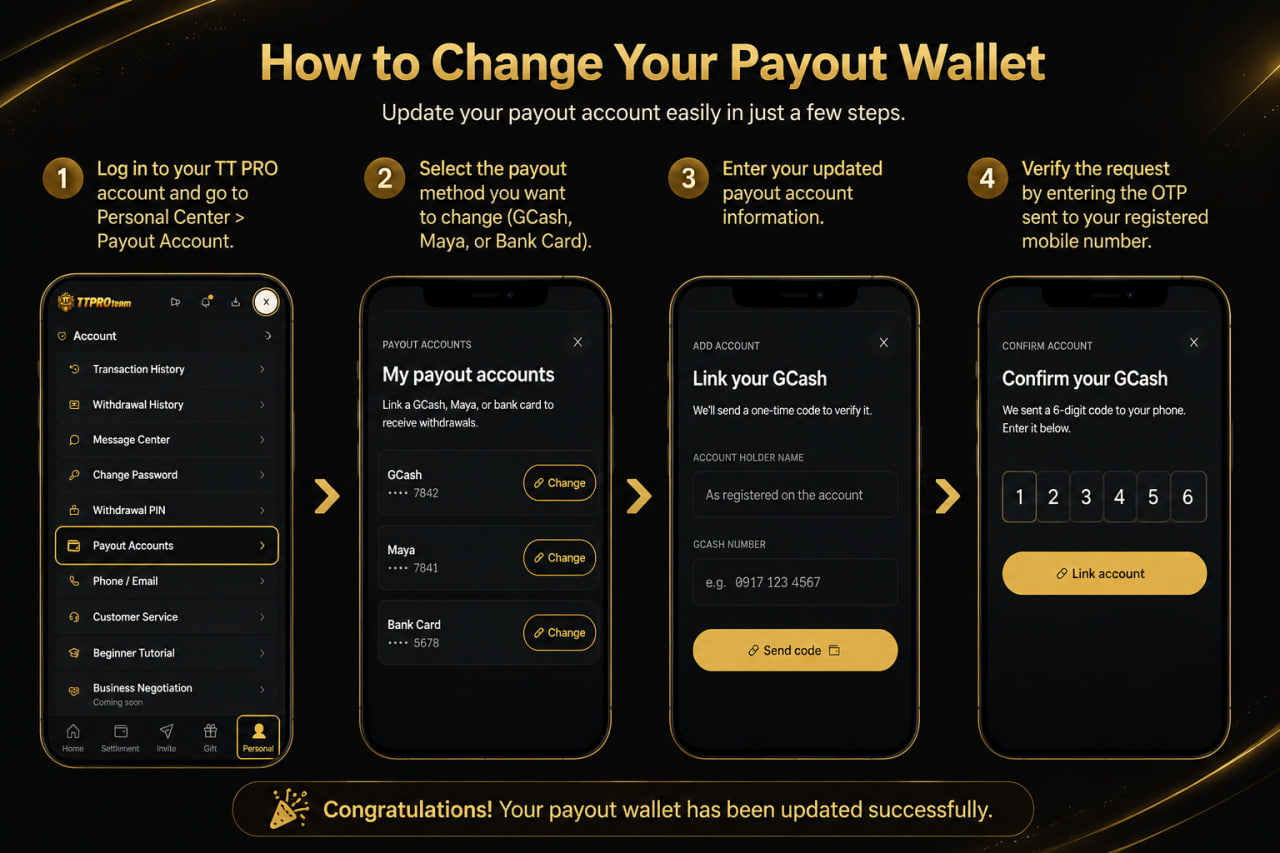
How to Change Your Payout Wallet
Step 1: Log in to your TT PRO account. Go to Personal Center and tap Payout Account.
Step 2: Select the payout method you want to update (GCash, Maya, or Bank Card).
Step 3: Enter your new payout account details and make sure all information is correct.
Step 4: Enter the OTP verification code sent to your registered mobile number to confirm the change.
🎉 Congratulations! Your payout wallet has been updated successfully.